Tella
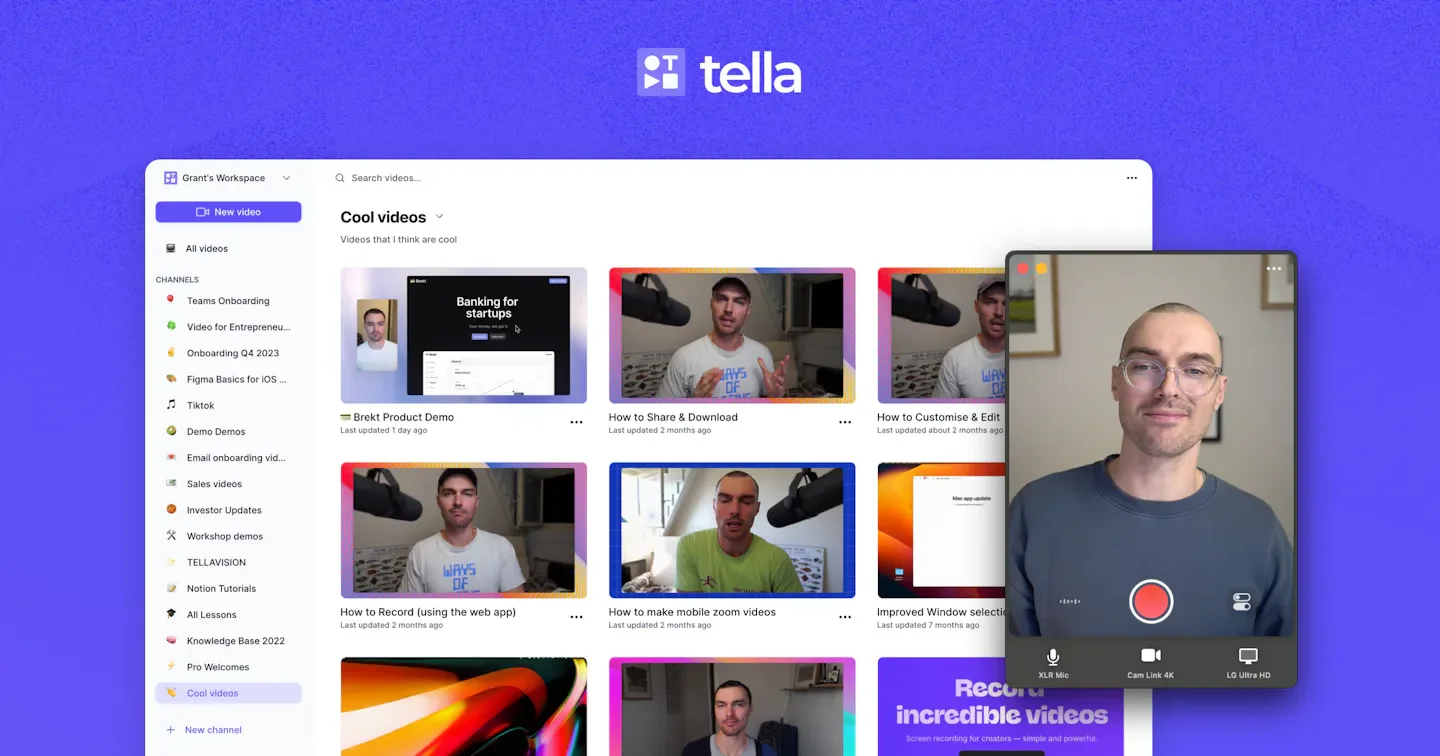
Tella is a tool combining screen recording, camera feeds, and video editing, supporting Mac, Windows, and browsers, ideal for creating product demos, instructional tutorials, online courses, or team video messages. It captures microphone and system audio simultaneously during recording, saves screen and camera tracks separately, and lets users switch layouts, resize presenters, or hide one of the sources even after recording.
Product screenshots
About Tella
Tella is a tool combining screen recording, camera feeds, and video editing, supporting Mac, Windows, and browsers, ideal for creating product demos, instructional tutorials, online courses, or team video messages. It captures microphone and system audio simultaneously during recording, saves screen and camera tracks separately, and lets users switch layouts, resize presenters, or hide one of the sources even after recording.
Users can cut out slips of the tongue, filler words, and silence using transcripts, make fine edits on the timeline, and finish videos with auto-zoom, captions, backgrounds, and audio cleanup. Finished products can be shared via links, embedded in websites, or exported as high-resolution files, with viewer analytics providing insight into audience retention; teams can also edit, review, and organize videos together in shared workspaces.
Features
- Multi-Source Recording and Teleprompter: Capture screen, camera, microphone, and system audio, retain split tracks, and view teleprompter notes during recording.
- Segmented Recording and Asset Reuse: Each recording segment can be up to 6 hours long, allowing users to combine multiple segments, import existing videos, or reuse frequent segments like intros.
- AI and Text-Based Editing: Delete slips of the tongue, filler words, and silence using transcripts, or make fine edits on the timeline; the beta Tella Agent can edit based on conversation requests and consumes credits.
- Dynamic Layouts and Presenter Backgrounds: Switch between side-by-side, picture-in-picture, and full-screen configurations, adjust presenter position, crop frames, or remove camera backgrounds.
- Screen Guidance Effects: Generate modifiable auto-zooms based on clicks, and provide cursor animations, blurring, highlights, and layout transitions.
- Automatic Transcription and Captions: Supports transcription in 106 languages, allowing users to edit, translate, and adjust caption styles, burn captions into videos, or download SRT files.
- Audio Cleanup and Enhancement: Remove background noise and echo, normalize vocal volume, adjust levels, and add background music.
- Color Grading and Overlays: Adjust camera, screen recording, and media colors separately, apply filters or .cube LUTs, and overlay text, images, videos, and sound effects.
- Video Hosting and Sharing: Share via links immediately after recording or editing, with website-embeddable players and public playlists.
- High-Resolution and Asset Export: Export videos up to 4K, with Premium supporting 60 FPS; also offers output options for audio, raw recordings, independent clips, thumbnails, captions, and GIF thumbnails.
- Video Text and Document Generation: Use AI to generate manually editable titles, descriptions, and chapters, or create documents from videos.
- Branding and Access Settings: Add branding elements and call-to-action buttons; Premium provides custom domains, embedded domain restrictions, and Tella branding removal.
- Audience Engagement and Viewer Analytics: Collect comments and emoji reactions, and track viewers, watch time, and drop-off points.
- Team Video Library and Integrations: Collaborate to edit, review, and organize videos in shared workspaces, with integrations for Slack, Notion, and Linear.
- MCP Agent Connection: Connect AI agents to assist with editing, exporting, and organizing videos.
- Enterprise Identity Management: Paid plans can add SSO and SCIM as add-ons, while the Enterprise plan includes these features natively.
Use cases
- Product teams record operational demos, explaining features using auto-zoom, highlights, and switchable presenter layouts, then embed them in documentation pages.
- Instructors record courses in segments, organizing content through transcript trimming and caption editing before exporting videos or creating playlists for students to watch.
- Distributed teams brief updates via video, invite colleagues to review jointly, and use comments and viewer analytics to verify engagement.
Categories: ,AI Resources, Tool Resources, Tutorial Recording, Instructional Videos
Pricing
Pricing: Pro annual billing is equivalent to $13 per person per month, and Premium annual billing is equivalent to $19 per person per month; contact for Enterprise pricing. A 7-day free trial is available, and the official website text does not specify the currency for $.