Descript
Descript is a video and audio editing tool with a transcript-centric primary interface, suitable for individuals producing interviews, podcasts, tutorials, and marketing content. After recording or importing audio/video, the system generates a transcript; deleting words synchronously deletes the corresponding clips, and moving sentences adjusts material order, while a timeline is retained for detailed edits.
Product screenshots
About Descript
Descript is a video and audio editing tool with a transcript-centric primary interface, suitable for individuals producing interviews, podcasts, tutorials, and marketing content. After recording or importing audio/video, the system generates a transcript; deleting words synchronously deletes the corresponding clips, and moving sentences adjusts material order, while a timeline is retained for detailed edits.
It places remote recording, screen recording, audio cleanup, subtitles, clip extraction, and publishing into a single workflow, and allows Underlord to assist with editing based on text requirements, with each change checked or reverted. For teams needing to turn long content into short social media clips or produce multilingual subtitles and voiceovers, materials can be processed continuously and repurposed; media hours, AI credits, and export specs vary by plan.
Features
- Text-Based Editing and Transcription: Converts audio or video into timestamped transcripts, edits corresponding audio/video by deleting or moving text, and supports transcription in 25 languages.
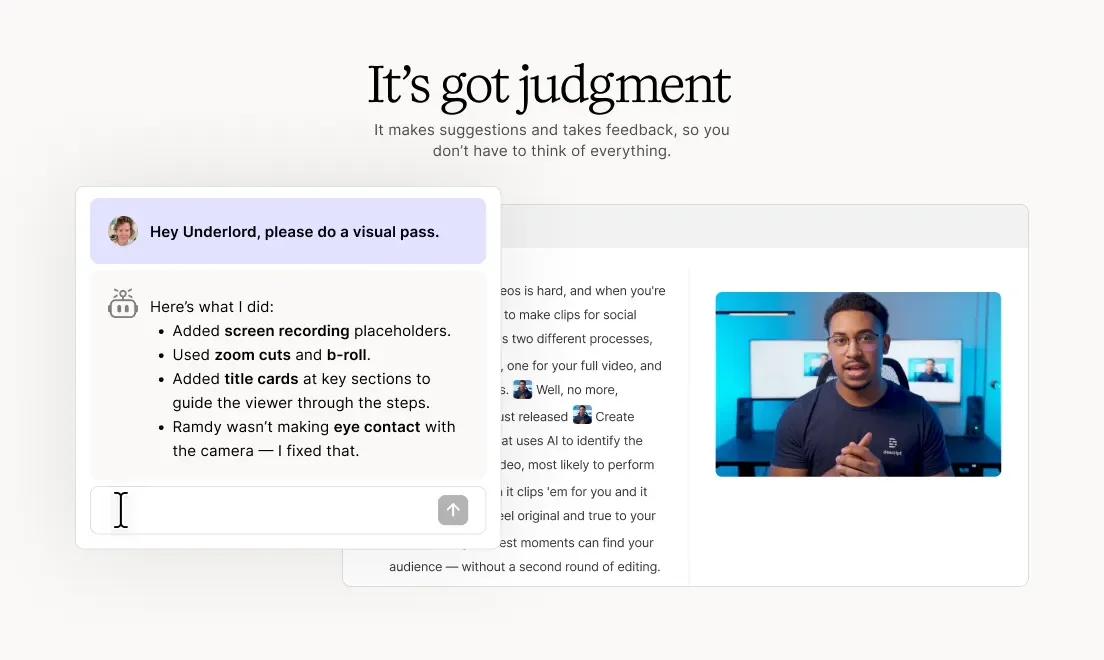
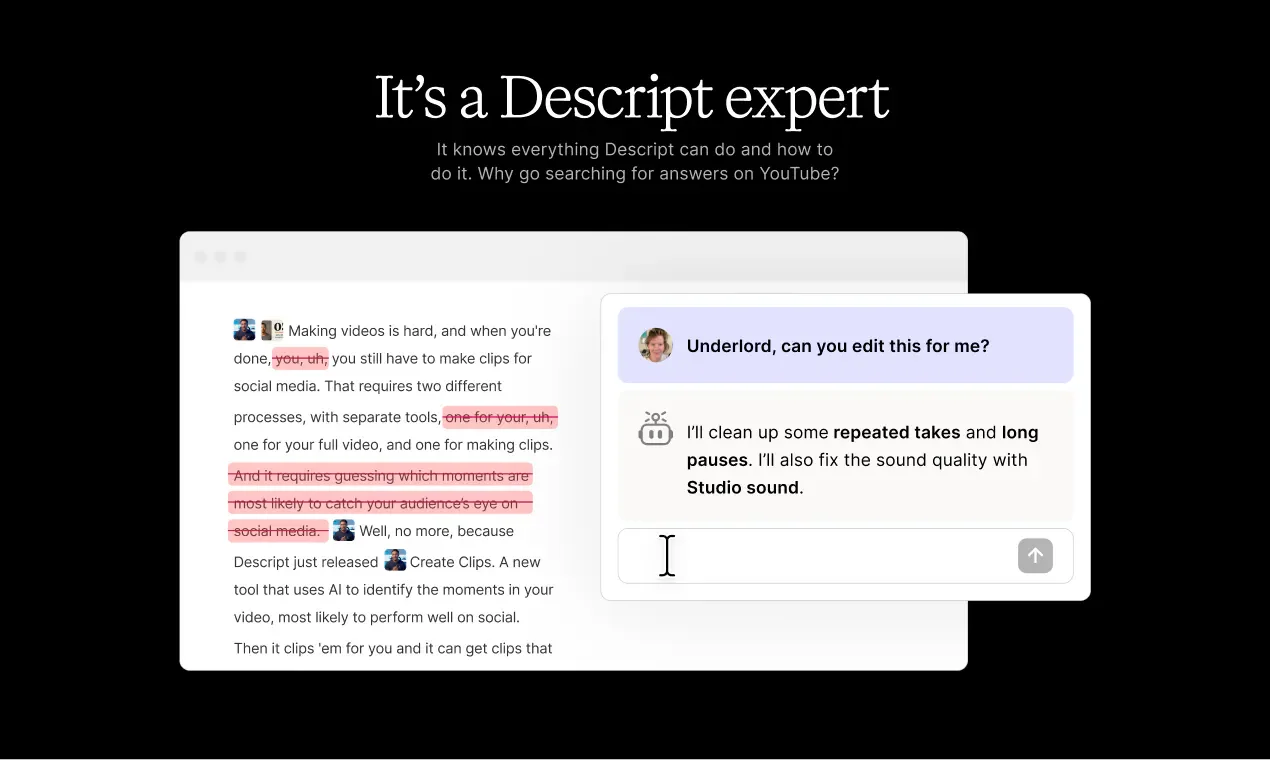
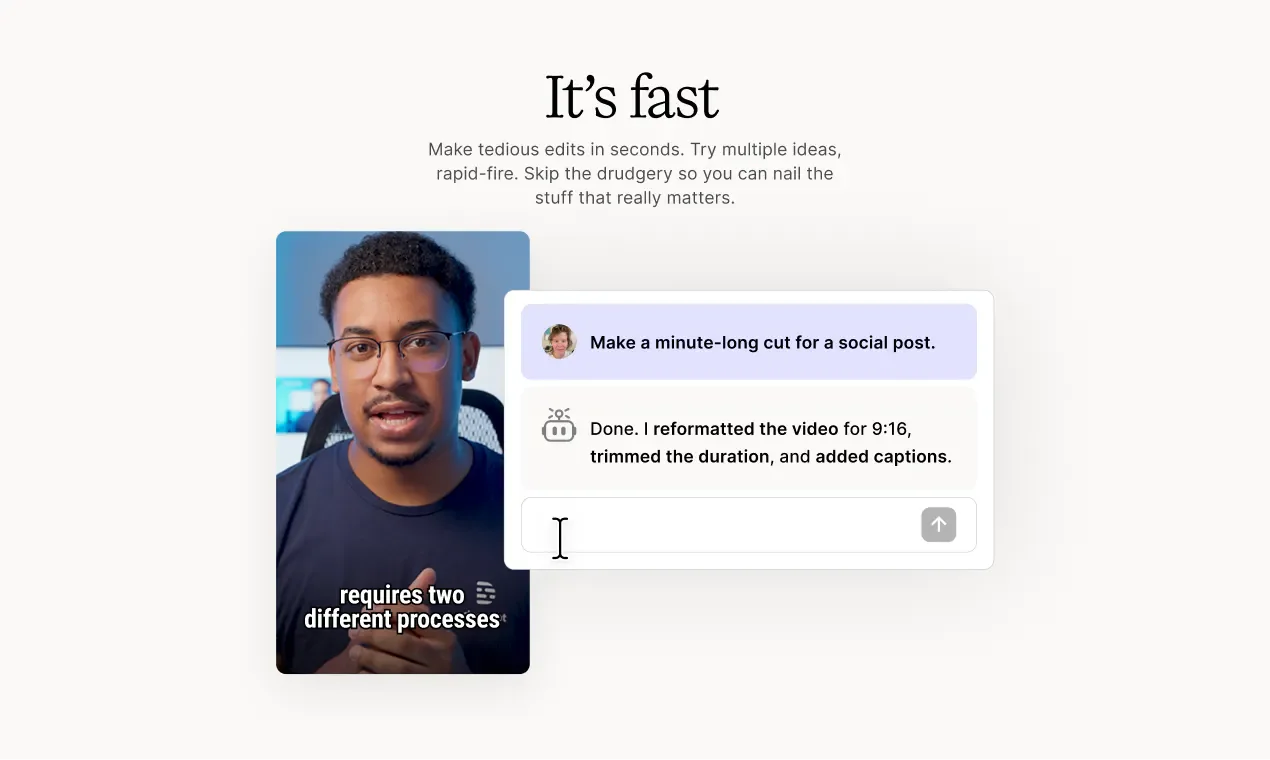
- Underlord Editing Assistant: Helps streamline recordings, pick clips, add scenes, and generate short videos based on text commands, with each change able to be checked or reviewed/reverted.
- Remote and Screen Recording: Rooms can record remote interviews in up to 4K while keeping individual audio tracks for each participant, and can record the screen and camera feeds simultaneously.
- Studio Sound Audio Cleanup: Reduces background noise and echo, and enhances speech audio, which can be applied to individual tracks.
- Filler Word and Re-recording Cleanup: Identifies verbal filler words, long pauses, and re-recorded sentences to help keep the appropriate version, allowing users to check edit locations before applying.
- Audio/Video Error Correction: Regenerate can generate alternative speech based on input correction text, and video rewrite features can also adjust mouth movements to match corrected content.
- AI Voices and Avatars: Provides text-to-speech, custom voice cloning, and preset voices, with selected plans also allowing avatars to be created from photos or text.
- Actor Visual Touch-ups: Provides eye contact correction, portrait lighting adjustments, and background removal or replacement to further adjust existing talking-head footage.
- Scene and Material Production: Arrange speakers, screen sharing, titles, and B-roll, and use stock libraries or generate videos, images, and audio based on prompts.
- Subtitles and Multilingual Translation: Generate editable-style subtitles from transcripts, and provide subtitle translation, dubbing, and translation proofreading tools.
- Long Content Repurposing: Extract clips from long videos or podcasts and adjust layouts, and generate chapters, episode summaries, video descriptions, and promotional copy based on content.
- Team Collaboration and Brand Management: Multiple people can comment and edit within the same project, with comments mapped to video timelines; Team plans additionally provide brand layout and management features.
- Export and Publishing: Export audio and video, share web pages with embedded players, or publish to connected platforms, with support for integration with YouTube, Google Drive, and Adobe tools.
- API and MCP Automation: Developers can integrate transcription, editing, and clip production, or allow AI assistants like Claude or ChatGPT to operate related functions via MCP.
Use cases
- When producing remote interview podcasts, record independent audio tracks for guests, then use transcripts to delete re-recorded segments, tidy up pauses, and improve speech audio.
- When creating software tutorials, record the screen and presenter simultaneously, edit the content via text, and add subtitles and supplementary footage.
- When marketing teams turn long interviews into social media short clips, they first extract key points and adjust layouts, then create translated subtitles or voiceovers for audiences of different languages.
Categories: ,AI Resources, Tool Resources, Video Production, Text Editing
Pricing
Offers a free tier; paid subscription and enterprise inquiry plans are available, with starting currency and monthly/annual payment terms unconfirmed.