CapCut
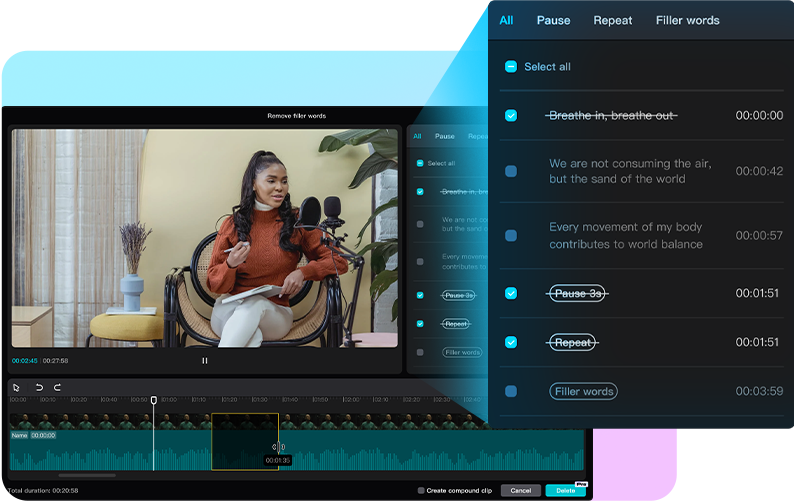
CapCut is a creative tool integrating photo processing, video editing, and AI generation, available in browser, desktop, and mobile versions, suitable for social creators, talking-head video makers, and marketers. Users can start from existing footage to trim videos, add transitions and subtitles, or apply templates to adjust text, music, and effects to produce content for different platforms.
Product screenshots
About CapCut
CapCut is a creative tool integrating photo processing, video editing, and AI generation, available in browser, desktop, and mobile versions, suitable for social creators, talking-head video makers, and marketers. Users can start from existing footage to trim videos, add transitions and subtitles, or apply templates to adjust text, music, and effects to produce content for different platforms.
Its feature is placing asset generation and subsequent editing in the same set of tools: generate videos using text, images, or keyframes, or create videos and avatar content through conversation. Background removal, image upscaling, text-to-speech, and audio noise reduction help handle covers, product images, and voiceovers, reducing the need to switch tools during production.
Features
- Video editing and export: The online editor supports cutting, trimming, and transitions, and provides watermark-free HD video export.
- Conversational video creation: The video studio can create videos from scratch through short conversations, covering styles, virtual avatars, and more.
- AI layout design: Automatically generates design layouts for social posts, covers, and marketing materials.
- AI image generation: Transforms text or reference images into custom visual graphics.
- AI video generation: Uses text, images, or keyframes as input to generate videos.
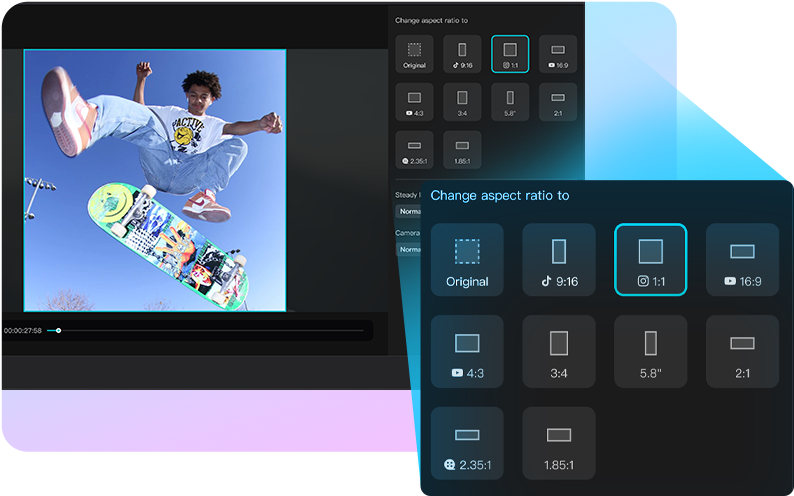
- Photo editing and enhancement: Provides background removal, quality and resolution upscaling, aspect ratio adjustment, and cropping, filters, and effects.
- Video background removal: Removes video backgrounds using AI for short videos or ad materials.
- Multi-language auto-captions: Automatically generates subtitles in multiple languages for videos.
- Video/audio conversion and audio extraction: Converts video formats such as MP4, MOV, and AVI, and extracts video audio to MP3 or WAV.
- Text-to-speech: Converts text into natural speech; the homepage explicitly states it can create English AI voiceovers.
- Noise reduction and voice enhancement: Reduces background noise, improving vocal clarity, volume, and recording quality.
- Video creative templates: Provides templates for Reels, TikTok, social, business, and AI effects with customizable text, music, and effects.
- Team branding and storage: The Teams plan provides a brand kit, Pro features licensed to each user, and 1 TB of storage.
Use cases
- When producing talking-head short videos, trim video clips, generate multilingual subtitles, and use noise reduction and voice enhancement to improve audio pickup.
- When running Reels or TikTok, apply video templates and replace text, music, and effects to accelerate short video production.
- When preparing product promotional materials, process product image backgrounds and quality first, then create social layouts or promotional videos.
Categories: Video Production, Quick Editing
Platforms: Web, Windows, macOS, iOS, Android
Pricing
Provides free features and paid plans, with subscription amounts and billing cycles subject to the Taiwan official page or login display.