Claude
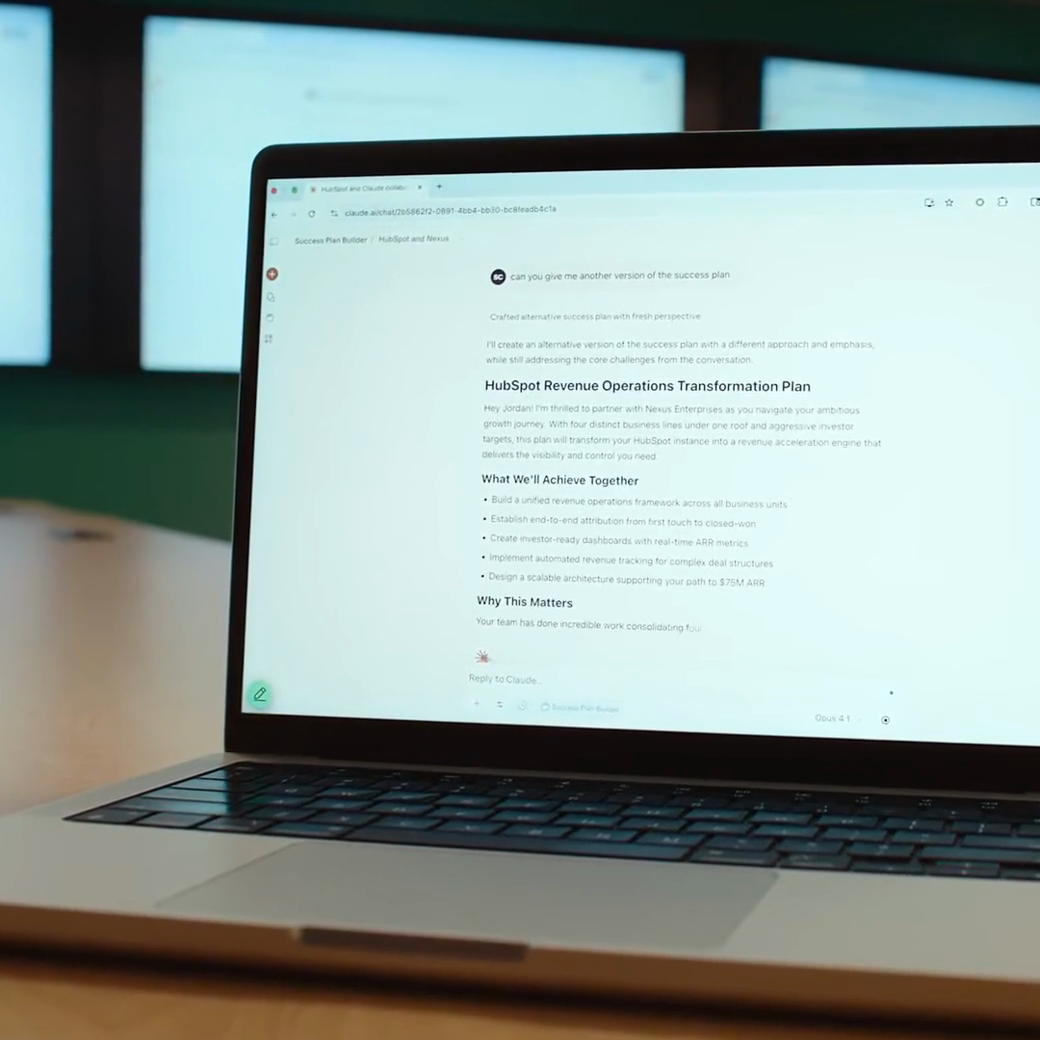
Claude is an AI work assistant by Anthropic, designed for individuals and teams who need to read documents, synthesize data, write content, or create presentations. Users can describe goals in natural language and specify accessible files and tools to have it organize information, process analyses, and deliver editable documents, spreadsheets, or other outputs for user review and adjustment.
Product screenshots

About Claude
Claude is an AI work assistant by Anthropic, designed for individuals and teams who need to read documents, synthesize data, write content, or create presentations. Users can describe goals in natural language and specify accessible files and tools to have it organize information, process analyses, and deliver editable documents, spreadsheets, or other outputs for user review and adjustment.
It connects to existing applications via connectors and provides search, interactive visuals, project memory, and custom skills to maintain context and workflows across different tasks. Longer tasks can be delivered or scheduled depending on the plan; browser operation, office software integration, and team communication features have varying availability, making it suitable for gradually integrating repetitive work into existing pipelines.
Features
- Editable Output Creation: Creates documents, presentations, spreadsheets, financial models, and prototypes, and shares or modifies designs and documents via Artifacts.
- Data Consolidation and Visualization: Integrates data from different sources, compares differences, and produces summaries, charts, dashboards, and interactive visuals.
- Search and Research: Searches the web for information, organizes data, and cites sources; Research feature availability depends on the plan.
- Long Tasks and Scheduling: Supports long-running and concurrent tasks, and can repeatedly execute work on a specified schedule; the integrated task experience is rolling out to Pro and Max.
- App and File Connections: Uses approved applications, tools, files, and folders via connectors, MCP, and desktop extensions.
- Skills and Plugin Extensions: Preserves workflows with Skills, expands capabilities using plugins or custom connectors, and sets cross-conversation preferences.
- Browser and Computer Operation: Operates web pages via Claude in Chrome or a built-in browser, with experimental computer-use capabilities also available.
- Project and Cross-Conversation Memory: Organizes context, instructions, and files with Projects, while remembering past conversation backgrounds and usage preferences.
- Voice and Cross-Device Use: Interacts with Claude via voice and uses the service across web, desktop, and mobile devices.
- Output Review and Permission Control: Displays track changes in Word, marks modified cells in Excel, sets approval workflows, and restricts accessible tools and folders.
- Microsoft 365 Integration: Uses Claude directly within Microsoft 365 apps on supported plans to assist with existing documents and spreadsheets.
- Slack Team Collaboration: Team and Enterprise users can try Claude Tag, mentioning Claude in threads to let it read context, process work, and reply, as well as set up persistent tasks.
- Coding Agent: Claude Code understands codebases, modifies files, runs commands and tests, and handles debugging and lengthy refactoring tasks; included in Pro and Max.
Use cases
- Product teams integrate Slack, email, and customer feedback to categorize topics, count occurrences, and generate reviewable feedback summaries.
- Operations or finance staff merge actual data of different formats against budgets in spreadsheets, highlighting variances and items requiring review.
- Marketers provide brand guidelines and campaign materials to let Claude generate initial drafts of presentations, documents, or social designs for manual revision.
- Teams on supported plans set up recurring reports or meeting action item organization, continuing subsequent work through connected tools.
Categories: ,AI Resources, Long-form Text and Code Collaboration
Platforms: Web, Windows, macOS, iOS, Android
Pricing
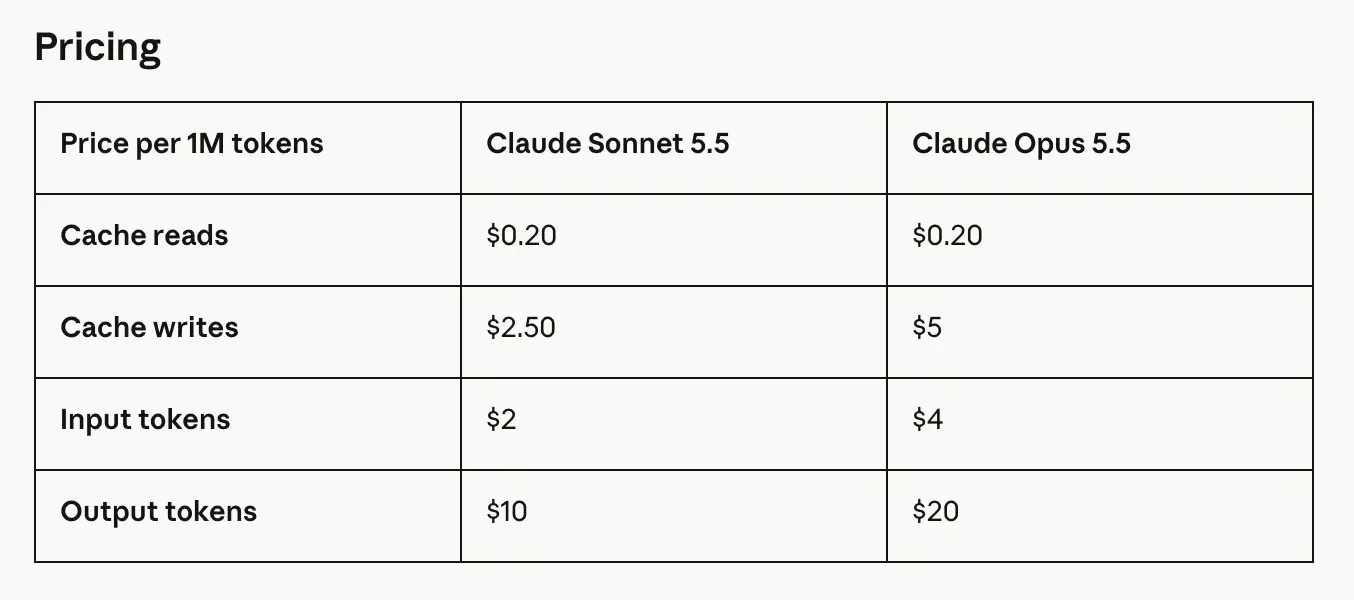
Free plan and paid subscriptions available. Billing cycles, usage limits, and per-seat pricing for individual and team plans follow the official pricing page.